

Instructions for accurate test performance:
- If you wear glasses or contact lenses, take the test with them on.
- Hold your phone or monitor at arm’s length (approximately 50–70 cm).
- Make sure the screen is at eye level.
- Do not squint, keep your head straight.
- Focus on the image and answer the questions.
- Take the test separately for each eye.
When the test is performed with glasses or contact lenses, it allows you to check how well they compensate for vision impairment. If the result indicates normal (emmetropia), the correction is selected correctly. If there is a tendency to be nearsighted or farsighted, this means that your current glasses or lenses no longer meet your needs, and you should consult an ophthalmologist. The doctor can use the duochrome test in combination with other methods to accurately select the correction and determine the need for a change in glasses, contact lenses, or even laser or surgical treatment.
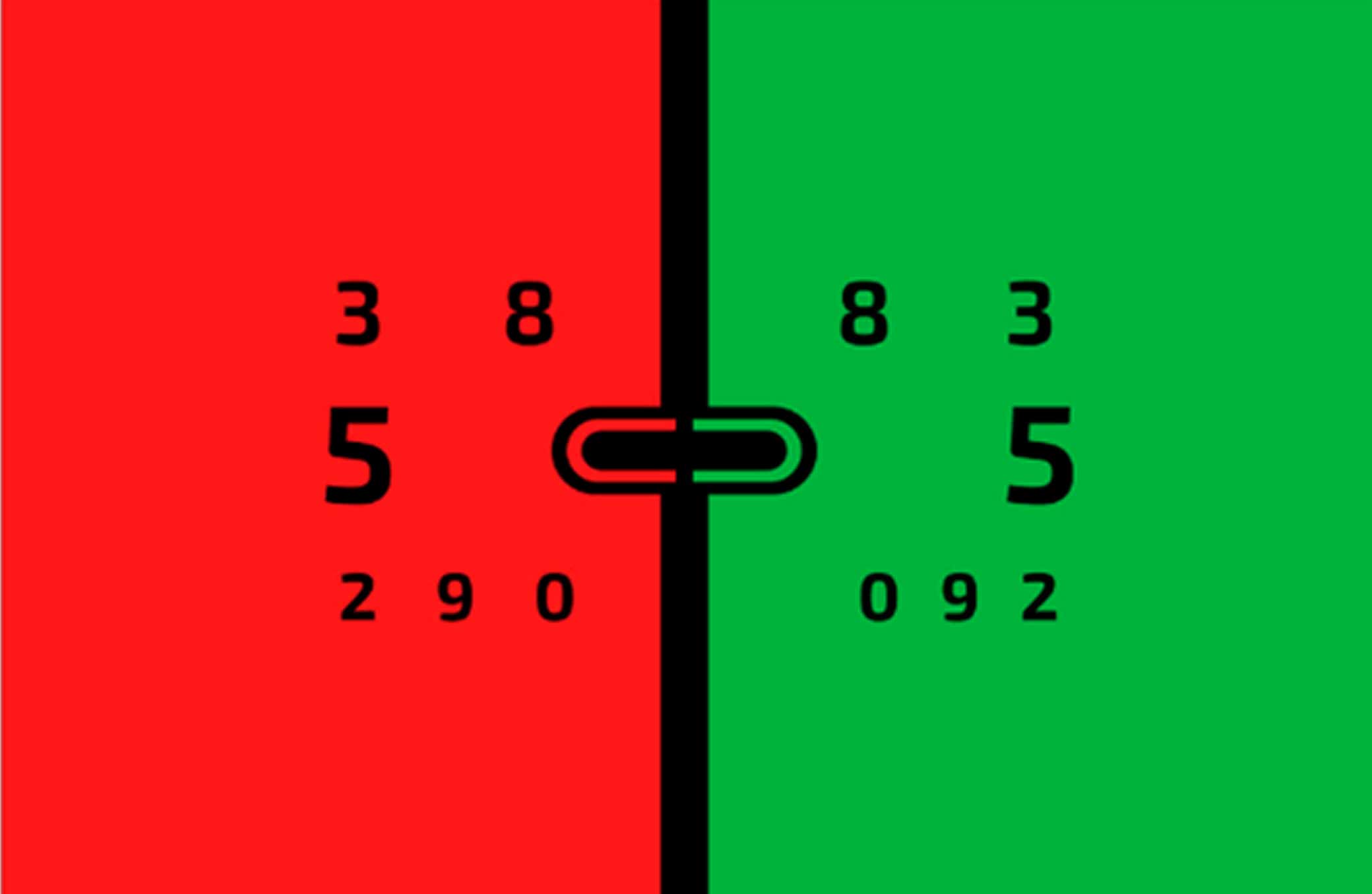
Possible test results:
- If the letters on a green background seem clearer, this may indicate farsightedness.
- If the symbols on a red background look more distinct, and on green they are blurred, it is likely nearsightedness.
- If the image is equally clear on both parts of the picture, this is a sign of emmetropia (normal refraction).
Please note!
Online tests do not provide an accurate assessment of your vision and cannot determine the presence or absence of diseases. An accurate diagnosis can only be made by an ophthalmologist after a complete examination in an ophthalmology clinic.